Key takeaways
- Compare computer speakers, vertical mice, a monitor riser and neon desk light in one practical guide for clearer sound, comfort and an organized setup.
A comfortable desk setup depends on more than a fast computer. Clear sound helps with calls, videos and games, while the right mouse shape and screen height can make long sessions at the keyboard feel easier on your hands, wrists and neck. Many people upgrade one piece at a time and only later notice that the pieces do not work well together, for example speakers that block the monitor, a mouse that needs constant charging, or a screen that sits too low beside tall speaker cabinets.
This guide brings together five desk accessories that cover sound, pointing comfort, screen height and ambient light. The list includes a compact 2.0 speaker set, a 2.1 speaker system with a separate subwoofer, a right-hand vertical wireless mouse, a two-tier wooden monitor stand, and a blue neon sign for the wall behind the desk. Each product serves a different role, so you can pick the full set for a fresh setup or add one or two pieces to a desk you already use.
As an Amazon Associate, we earn from qualifying purchases.
How to Choose
Start with the space you have. Measure the width of your desk, the distance between your monitor and the wall, and the room left on each side of the screen. Compact 2.0 speakers fit narrow desks and dorm rooms, while a 2.1 system needs floor or shelf space for the subwoofer. A monitor riser also changes the layout, since raising the screen frees the area underneath for a keyboard, notebook or small accessories, and it can leave more room beside the monitor for speakers.
Next, think about how you listen. For calls, short videos and background music, a simple stereo pair is usually enough. For games or movies, a separate subwoofer gives deeper low tones. Check the connection type and make sure your computer or monitor has a matching output before you order.
For the mouse, consider hand size and whether you use your right or left hand. A vertical mouse holds the hand in an upright handshake position that many people prefer for office work. Wireless models keep the desk free of cables but need batteries, so check the power details in the listing.
Finally, plan the finishing touches. A monitor stand should match your screen and sit flat without wobbling, and decorative lighting works best near an outlet with clear wall space.
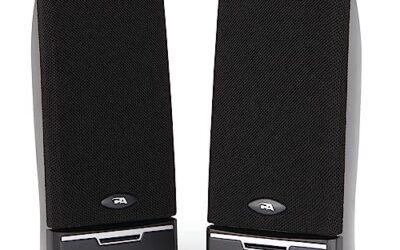
Cyber Acoustics CA-2014 2.0 Computer Speakers

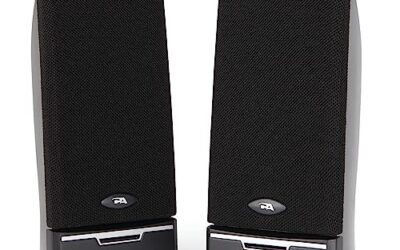
The Cyber Acoustics CA-2014 is a compact 2.0 stereo speaker pair made for everyday desktop listening. The two small cabinets sit on either side of a monitor without taking much depth, which suits narrow desks, shared workspaces and student rooms. The listing describes the set as a 4W stereo system, a level aimed at calls, online classes, videos and light music rather than filling a large room.
A front-facing control layout keeps daily use simple, so you can adjust volume during calls without opening software menus. The plain black finish blends with most monitors and keyboards.
Specs
| Detail | Information |
|---|---|
| Product | Cyber Acoustics CA-2014 2.0 Computer Speakers |
| Configuration | 2.0 stereo pair |
| Output | 4W |
| Connection | Not stated |
| Power source | Not stated |
Who It Suits
This set suits anyone who wants a simple upgrade from built-in laptop or monitor speakers for calls, study and casual listening. It is a sensible pick for small desks where space matters more than deep bass, and for shared rooms where modest volume is an advantage. If you want strong low tones for movies or games, the 2.1 system later in this guide is the better match.
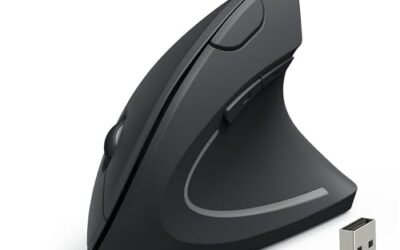
Anker 2.4G Wireless Ergonomic Mouse

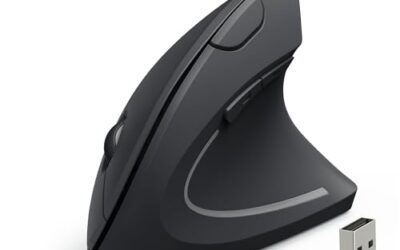
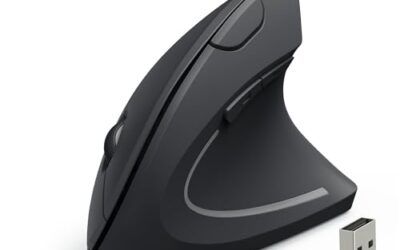
The Anker 2.4G Wireless Ergonomic Mouse is a right-hand vertical mouse that connects through a small USB receiver. Instead of holding your palm flat, the vertical shape keeps your hand in a natural handshake position, which many desk workers find more comfortable during long days of documents, browsing and design work. The wireless connection removes the cable drag that can pull a mouse off line on a crowded desk.
The receiver stores in the mouse body for travel between a home desk and a laptop bag. Check the listing for battery type and button layout before ordering, since those details vary by version.
Specs
| Detail | Information |
|---|---|
| Product | Anker 2.4G Wireless Ergonomic Mouse |
| Hand orientation | Right hand |
| Connection | 2.4G wireless with USB receiver |
| Shape | Vertical ergonomic |
| Battery type | Not stated |
Who It Suits
This mouse suits right-handed users who spend hours at a desk and want a more upright grip than a flat mouse allows. It also suits laptop users who move between desks and want a receiver that stores inside the mouse. Left-handed users and people who prefer a low, flat gaming shape should look at a different style instead.
Gamerneon Blue Poker Neon Sign

The Gamerneon Blue Poker Neon Sign adds ambient light and a clear theme to the wall behind a gaming or entertainment desk. The design shows casino playing cards in blue neon-style tubing, which gives a plain room a focal point for streaming backgrounds, game nights and relaxed evening sessions. Placed above or beside the monitor, it softens the contrast between a bright screen and a dark room.
Neon-style signs are decorative rather than task lighting, so treat this piece as atmosphere. Plan the hanging spot and cable route before ordering. The blue glow pairs naturally with the blue LED lighting on the speaker system in this guide.
Specs
| Detail | Information |
|---|---|
| Product | Gamerneon Blue Poker Neon Sign |
| Design | Casino playing cards |
| Light color | Blue |
| Power source | Not stated |
| Dimensions | Not stated |
Who It Suits
This sign suits gamers, streamers and poker fans who want a themed backdrop for a desk, game room or home bar corner. It also suits anyone building a casual entertainment setup where the wall is part of the look. If you need bright light for reading or detailed work, add a desk lamp as well, since a neon sign alone is not made for task lighting.
GOgroove BassPULSE 2.1 Computer Speakers
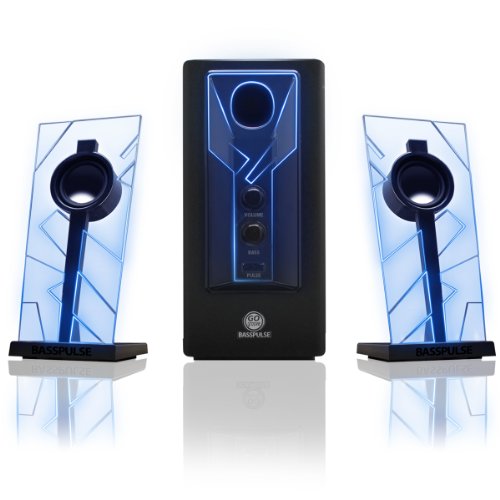
The GOgroove BassPULSE is a 2.1 computer speaker system with two satellite speakers, a powered subwoofer and blue LED glow lights. The separate subwoofer handles low tones that small desktop speakers cannot reach, which makes movies, games and music feel fuller at the desk. The satellites keep voices and higher sounds near ear level on either side of the monitor.
The blue LED lighting gives the setup a gaming look that matches the neon sign in this guide. Plan a floor or low-shelf spot for the subwoofer, and use the system controls to adjust volume and bass for late-night or louder sessions.
Specs
| Detail | Information |
|---|---|
| Product | GOgroove BassPULSE 2.1 Computer Speakers |
| Configuration | 2.1 with powered subwoofer |
| Lighting | Blue LED glow lights |
| Connection | Not stated |
| Total output | Not stated |
Who It Suits
This system suits gamers and movie watchers who want deeper bass and a more immersive desk sound than a compact pair can give. It also suits anyone who likes LED accents in a gaming room. If your desk is very small or you share walls with neighbors and mostly listen at low volume, the compact Cyber Acoustics pair is the simpler choice.
BONTEC Wood Monitor Stand Riser

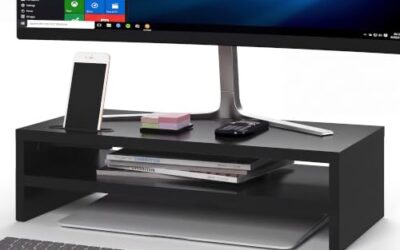
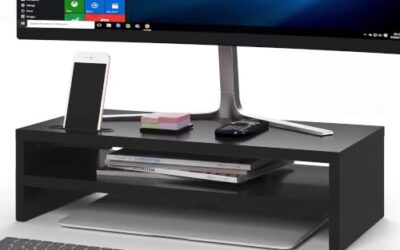
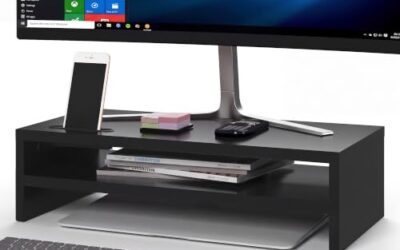
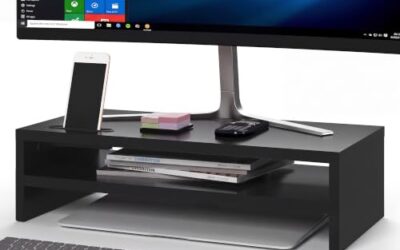
The BONTEC Wood Monitor Stand Riser is a two-tier desktop organizer that lifts your monitor to a more comfortable viewing height. Raising the screen can reduce the need to hunch forward, and the space under the stand gives you a home for a keyboard, notebook, phone or small accessories. The wooden finish adds a warm contrast to black monitors and speakers, which helps a desk look finished rather than purely technical.
Two tiers let you separate everyday items from things you reach for less often, and the keyboard can slide underneath when you need writing space. Before ordering, measure your monitor base and desk depth, and check the listing for dimensions and weight capacity.
Specs
| Detail | Information |
|---|---|
| Product | BONTEC Wood Monitor Stand Riser |
| Design | 2-tier desktop organizer |
| Material | Wood |
| Dimensions | Not stated |
| Weight capacity | Not stated |
Who It Suits
This stand suits anyone whose monitor sits too low on a flat desk, and anyone who wants storage space under the screen without adding drawers. It pairs well with both speaker sets in this guide, since a raised monitor leaves cleaner lines on each side for the satellites. If you use a large curved monitor with a wide base, measure carefully first to be sure the stand fits.
Putting the Desk Setup Together
A sensible order is to place the monitor stand first, then the speakers, then the mouse and lighting. Set the riser in the center of the desk, place the monitor on top, and sit down to check that the top of the screen is near eye level. Position the speakers at equal distances on both sides of the monitor, angled slightly toward your chair, and keep the subwoofer on the floor if you chose the 2.1 system.
Route cables along the back edge of the desk, keep the mouse on a clear section of desk, and hang the neon sign last once you can see the wall space above the monitor. If you upgrade in stages, start with the piece that fixes your biggest daily annoyance: speakers for poor call sound, the vertical mouse for wrist comfort, or the riser for screen height.
Care and Setup Notes
Keep speaker cabinets dust-free with a dry cloth and keep drinks away from the subwoofer and power strip. Store the mouse receiver inside the mouse when you travel, and wipe the wooden riser with a slightly damp cloth, drying it right away. If sound drops on one side, check the audio plug first, since a loose connection is the most common cause.
FAQ
Should I choose 2.0 or 2.1 computer speakers?
Choose 2.0 speakers if your desk is small, you mostly join calls and watch videos, and you want the simplest setup. Choose a 2.1 system with a subwoofer if you play games or watch movies at your desk and want deeper bass. The 2.1 system needs extra floor or shelf space, so measure before you order.
Is a vertical mouse comfortable for everyday work?
Many people find the upright handshake position of a vertical mouse more comfortable for office work, browsing and long document sessions. It can take a short adjustment period if you are used to a flat mouse. This guide lists a right-hand model, so left-handed users should look for a left-hand version or a different shape.
How high should a monitor stand raise my screen?
A common guideline is to place the top of the screen near eye level when you sit upright, with the screen about an arm length away. A two-tier riser also gives storage space under the monitor. Sit at your desk and check your posture before ordering, and confirm the stand dimensions and weight capacity in the listing.
Can a neon sign replace a desk lamp?
No. A neon sign is decorative ambient light that adds color and atmosphere to a gaming or entertainment desk. For reading, writing and detailed tasks, use a proper desk lamp as well. The sign works best as a backdrop above or beside the monitor, with its cable routed neatly to a nearby outlet.
Final Verdict
For a balanced desk, the strongest combination is the GOgroove BassPULSE 2.1 system for full sound, the Anker vertical mouse for everyday comfort, and the BONTEC wooden riser for screen height and storage. The Cyber Acoustics CA-2014 pair is the smarter pick for small desks and call-heavy days, while the Gamerneon sign finishes the setup with themed ambient light. Measure your desk, match each piece to the job it does best, and build the setup in stages if you prefer.
Product and ASIN Reference
| Product | ASIN |
|---|---|
| Cyber Acoustics CA-2014 2.0 Computer Speakers | B00008MN45 |
| Anker 2.4G Wireless Ergonomic Mouse | B00BIFNTMC |
| Gamerneon Blue Poker Neon Sign | B09TKHRPYS |
| GOgroove BassPULSE 2.1 Computer Speakers | B004ALYGI2 |
| BONTEC Wood Monitor Stand Riser | B01M5K9ZTL |