Key takeaways
- Compare vertical mice for wrist comfort plus neon signs for desk ambiance, with specs, fit notes, and buying guidance for work and gaming setups.
A desk setup that feels good through a long workday and looks inviting after dark comes down to two kinds of gear. A vertical mouse changes how your hand and forearm rest during hours of clicking and scrolling, while a neon sign changes how the room feels the moment you sit down. One is about posture and comfort, the other is about light, mood, and personality, and together they can turn a plain workstation into a place you actually want to spend time.
This guide covers both sides of that upgrade, starting with a wireless ergonomic vertical mouse and a poker-themed neon sign, plus two computer speaker options and a two-tier wood monitor stand. Each product includes a spec summary and a note on who it suits, so you can match the gear to your hand size, room layout, and routine.
As an Amazon Associate, we earn from qualifying purchases.
How to Choose Vertical Mice and Neon Signs
Start with how you hold a mouse. A traditional flat mouse keeps your palm facing down, which twists the forearm and can strain the wrist over long sessions. A vertical mouse rotates the grip so your hand rests in a more neutral, handshake-like position. When comparing models, look at the angle of the grip, the size of the shell relative to your hand, and whether the design is shaped for the right or left hand. Wireless models with a USB receiver keep the desk free of cable drag, which matters if you move between a laptop and a desktop or share the desk with notebooks and other gear.
For a neon sign, think about size, mounting, and power. Measure the wall or shelf space first, check whether the sign hangs, stands, or mounts with screws, and plan how the cord reaches an outlet without crossing your workspace. A poker or casino design suits a game room or bar corner, while simpler shapes fit an office backdrop or streaming setup.
Speakers and stands tie the desk together. A compact 2.0 pair suits calls, videos, and background music, while a 2.1 system with a powered subwoofer adds low-end weight for games and movies. A monitor stand should match your screen size and desk depth, and a two-tier design adds a lower level for a keyboard or notebook. Plan the layout as a whole: keep the mouse where your hand naturally reaches, place the sign where its glow does not reflect on the screen, and route cables along the back edge of the desk.
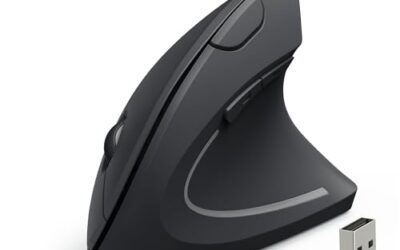
1. Anker 2.4G Wireless Ergonomic Mouse, Right Hand Vertical Mouse USB Receiver

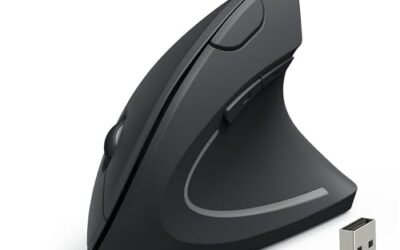
The Anker 2.4G Wireless Ergonomic Mouse is the comfort pick at the center of this guide. Its vertical shell is shaped for the right hand, holding your palm in a neutral position that reduces the forearm twist you get with a flat mouse. The 2.4G wireless connection uses a USB receiver, so there is no cable dragging across the desk or catching on the edge of a notebook. For office work, browsing, and general computer use, that combination of posture and freedom is the main appeal.
Vertical mice take a short adjustment period if you have only used flat designs, but most people find the handshake grip natural within a few days of steady cursor work. Because the receiver is a standard USB plug, the mouse pairs easily with desktops and laptops and travels well between a home desk and a shared office.
Specs
| Spec | Detail |
|---|---|
| Product | Anker 2.4G Wireless Ergonomic Mouse, Right Hand Vertical Mouse USB Receiver |
| Connection | 2.4G wireless with USB receiver |
| Shape | Vertical ergonomic design |
| Hand | Right hand |
| Intended use | Office and everyday computer work |
Who It Suits
This mouse suits right-handed users who spend long stretches at a computer and want a more neutral wrist and forearm position. It is a good fit for writers, office workers, students, and anyone who notices wrist fatigue with a flat mouse. It is less suited to left-handed users or to players who need a low, flat grip for fast flick movements in competitive games.
2. Gamerneon Blue Poker Neon Sign Casino Playing Cards Neon Signs for Man Cave

The Gamerneon Blue Poker Neon Sign is the ambiance pick in this guide. Designed around casino playing cards, it brings a blue neon glow to a man cave, game room, or poker corner. Neon-style signs work as both light and decor, so this one can serve as a backdrop behind a desk, a focal point above a card table, or an accent on a shelf. The poker theme makes it an easy match for card nights, sports watching, and casual gaming sessions.
Mounting the sign on the wall behind or beside your monitor keeps the glow in your peripheral view without shining straight into the screen, and it reads well on camera if you stream or record video. Plan the cord route to the nearest outlet before mounting so the cable does not cross your desk surface.
Specs
| Spec | Detail |
|---|---|
| Product | Gamerneon Blue Poker Neon Sign Casino Playing Cards Neon Signs for Man Cave |
| Theme | Casino playing cards, poker |
| Color | Blue neon glow |
| Intended use | Man cave, game room, and desk decor |
| Style | Neon sign wall accent |
Who It Suits
This sign suits poker players, card-game hosts, and anyone building a man cave or gaming room with a casino theme. It is a good fit for streamers who want a recognizable backdrop and for hosts who want the room to feel like a card night before the first hand is dealt. It is less suited to a formal office where a themed neon sign would clash with the setting.
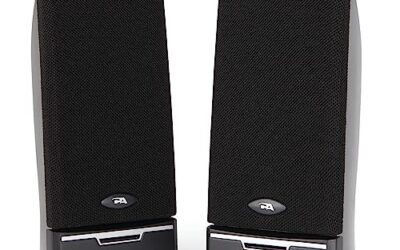
3. Cyber Acoustics CA-2014 2.0 Computer Speakers, 4W, Stereo Sound

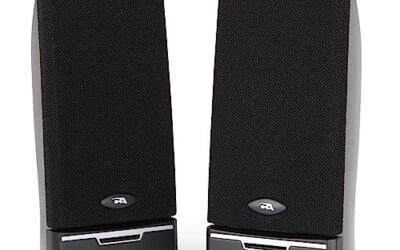
The Cyber Acoustics CA-2014 2.0 Computer Speakers are the compact audio pick for a small desk. A 2.0 setup means two speakers without a separate subwoofer, which keeps the footprint small and the wiring simple. Stereo sound from a matched pair is well suited to voice calls, online classes, videos, and background music while you work. The 4W output rating is aimed at near-field listening at a desk rather than filling a large room.
Place one speaker on each side of the monitor at roughly ear height, angled slightly toward your chair, for a balanced stereo image. With no subwoofer to position, setup is quick, and the pair is easy to move if you rearrange the desk.
Specs
| Spec | Detail |
|---|---|
| Product | Cyber Acoustics CA-2014 2.0 Computer Speakers, 4W, Stereo Sound |
| Configuration | 2.0 stereo pair |
| Output | 4W |
| Intended use | Computer audio for calls, videos, and music |
| Footprint | Compact desktop pair |
Who It Suits
These speakers suit students, home-office workers, and anyone who wants clearer computer audio than built-in laptop or monitor speakers provide. They are a good fit for small desks where space is tight and for listeners who mostly play speech, videos, and light music. They are less suited to listeners who want deep bass for movies or bass-heavy music, where a 2.1 system fits better.
4. GOgroove BassPULSE 2.1 Computer Speakers with Blue LED Glow Lights and Powered Subwoofer
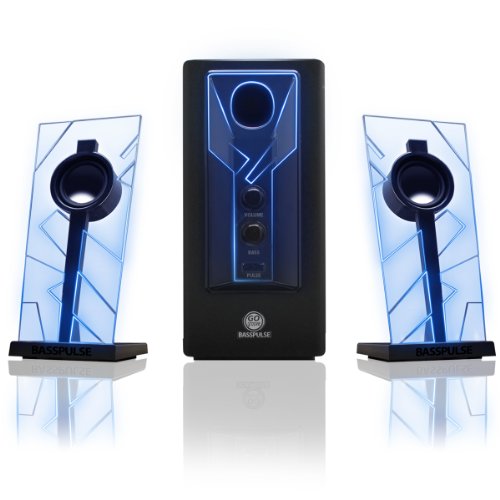
The GOgroove BassPULSE 2.1 Computer Speakers are the bigger-sound pick for a gaming or media desk. The 2.1 configuration pairs two satellite speakers with a powered subwoofer, so low frequencies get their own driver instead of being squeezed out of small desktop speakers. That added bass gives games, movies, and music more weight and presence. The blue LED glow lights also tie in nicely with a neon-lit setup, matching the mood of a blue sign on the wall behind the desk.
Put the satellites on either side of the monitor and give the subwoofer a spot on the floor or a sturdy shelf. Keep it away from the corner if the bass sounds boomy, and adjust the balance so dialogue stays clear during games and shows.
Specs
| Spec | Detail |
|---|---|
| Product | GOgroove BassPULSE 2.1 Computer Speakers with Blue LED Glow Lights and Powered Subwoofer |
| Configuration | 2.1 with powered subwoofer |
| Lighting | Blue LED glow lights |
| Intended use | Gaming, movies, and music at a computer desk |
| Sound profile | Stereo satellites with dedicated bass |
Who It Suits
This system suits gamers, movie watchers, and music listeners who want fuller sound at their desk than a small 2.0 pair can deliver. It is a good fit for a bedroom or game room where blue accent lighting matches the rest of the setup. It is less suited to very small desks or quiet shared spaces where a subwoofer would take up too much room or disturb others.
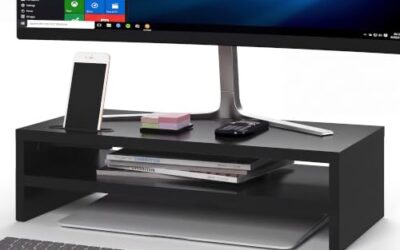
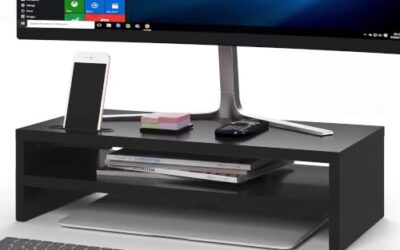
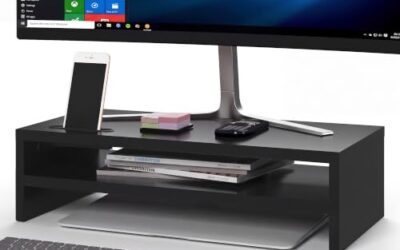
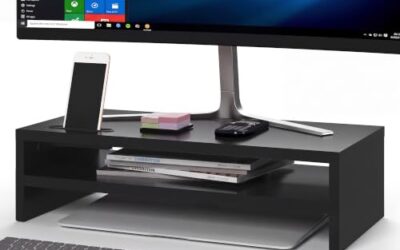
5. BONTEC Wood Monitor Stand Riser, 2-Tier Desktop Organizer

The BONTEC Wood Monitor Stand Riser is the organization pick that ties the desk together. Raising the monitor brings the screen closer to eye level, which can reduce neck strain during long sessions, especially when paired with a vertical mouse that already improves your arm position. The two-tier design adds a lower shelf level, giving you a place to slide a keyboard, notebook, or phone while keeping the main surface clear. The wood finish also warms up a desk that might otherwise be all plastic and metal.
Measure your monitor base and desk depth before ordering. The stand should be wide enough for the screen feet and deep enough that the display sits back from the front edge, leaving room for the keyboard and mouse in front.
Specs
| Spec | Detail |
|---|---|
| Product | BONTEC Wood Monitor Stand Riser, 2-Tier Desktop Organizer |
| Material | Wood |
| Design | 2-tier desktop organizer |
| Intended use | Monitor riser and desk storage |
| Benefit | Raises screen height and frees desk surface |
Who It Suits
This stand suits anyone whose monitor sits too low or whose desk surface is crowded with accessories. It is a good fit for home offices, student desks, and gaming setups where a keyboard needs to slide away between sessions. It is less suited to desks that are already shallow, where a riser could push the screen too far back or crowd the mouse area.
FAQ
How long does it take to get used to a vertical mouse?
Most people adjust within a few days of regular use. The handshake grip feels different at first, especially for fine cursor movements, but steady office work like documents and browsing usually feels natural quickly. Give it a full workweek before deciding, and keep your old mouse nearby during the first days if you need it for precise tasks.
Where should I place a neon sign on a desk setup?
The wall behind or beside the monitor is the most common spot. That keeps the glow visible without reflecting directly on the screen. Avoid placing the sign where it shines straight into your eyes, and route the cord along the wall or desk edge so it does not cross your workspace or hang in view on camera.
Should I choose 2.0 or 2.1 computer speakers?
Choose 2.0 speakers if your desk is small and you mostly listen to calls, videos, and background music. Choose a 2.1 system if you play games, watch movies, or listen to bass-heavy music and want a dedicated subwoofer for low frequencies. Room size matters too, since a subwoofer needs floor or shelf space.
Does a monitor stand help with posture?
Raising the screen toward eye level can reduce how much you tilt your head down during long sessions, which helps neck comfort. A stand works best alongside a chair and desk height that already fit you, and a two-tier design adds storage so the desk surface stays clear for your mouse and keyboard.
Final Verdict
The strongest pairing here is the Anker vertical mouse for daily comfort and the Gamerneon poker sign for after-hours atmosphere. Add the Cyber Acoustics speakers for simple, compact audio, or step up to the GOgroove 2.1 system if games and movies deserve real bass. Finish with the BONTEC two-tier stand to raise the screen and reclaim desk space, and the setup works better for both work and play.
Product and ASIN Reference
| Product | ASIN |
|---|---|
| Anker 2.4G Wireless Ergonomic Mouse, Right Hand Vertical Mouse USB Receiver | B00BIFNTMC |
| Gamerneon Blue Poker Neon Sign Casino Playing Cards Neon Signs for Man Cave | B09TKHRPYS |
| Cyber Acoustics CA-2014 2.0 Computer Speakers, 4W, Stereo Sound | B00008MN45 |
| GOgroove BassPULSE 2.1 Computer Speakers with Blue LED Glow Lights and Powered Subwoofer | B004ALYGI2 |
| BONTEC Wood Monitor Stand Riser, 2-Tier Desktop Organizer | B01M5K9ZTL |