Key takeaways
- Compare vertical mice, neon signs, speakers, and monitor stands for a comfortable desk setup. See features, pros, and buying tips to pick the right gear.
A desk setup that feels good to use tends to share a few simple qualities: a pointing device that does not strain the wrist, sound that fills the room without clutter, a screen raised to a comfortable height, and lighting that gives the space personality after dark. Vertical mice and neon signs cover two of those needs directly, while compact speakers and a sturdy monitor stand round out the rest. Together, they turn a plain work surface into a place that supports long sessions and still looks inviting when the day winds down.
This guide looks at five products that fit that picture: an ergonomic vertical wireless mouse, a blue poker-themed neon sign, two different computer speaker options, and a two-tier wooden monitor stand. Each one solves a different part of the desk equation, so the best choice depends on what your current setup is missing. Read through the buying considerations first, then compare the individual picks to see which combination suits your space, your habits, and your style.
As an Amazon Associate, we earn from qualifying purchases.
How to Choose Vertical Mice, Neon Signs, Speakers, and Monitor Stands
Start with comfort. A vertical mouse rotates the hand into a more neutral, handshake-like posture, which many people prefer during long stretches of work or play. When comparing models, look at the grip angle, the size of the shell relative to your hand, the button layout, and how the connection works. Wireless models with a small USB receiver keep the desk free of cable drag, and adjustable sensitivity helps when you move between precise document work and fast-paced browsing.
For neon signs, think about size, mounting, and light quality. A sign should be visible without overwhelming the wall, and the design should match the mood of the room. Playing card and casino themes suit game rooms and man caves, while simpler shapes work in bedrooms and offices. Check how the sign hangs, how long the power cord is, and whether the light is steady and even.
Speakers come in two broad styles here. A compact 2.0 set keeps things simple with two small satellites, which is plenty for calls, videos, and background music. A 2.1 set adds a powered subwoofer for deeper bass and often includes decorative lighting, which suits gaming and movie watching. Consider desk space and whether you want volume controls on the speaker itself.
A monitor stand ties the setup together. Raising the screen to eye level can reduce neck strain, and storage tiers help organize keyboards, notebooks, and small accessories. Measure your monitor base and check the weight capacity before choosing.
Finally, plan the layout as a whole. Keep frequently used items within reach, leave room for the mouse to move, and route cables out of sight. A setup that balances comfort, sound, and lighting feels better every day than one that only looks good in photos.
Anker 2.4G Wireless Ergonomic Mouse

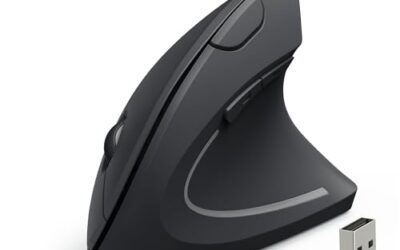
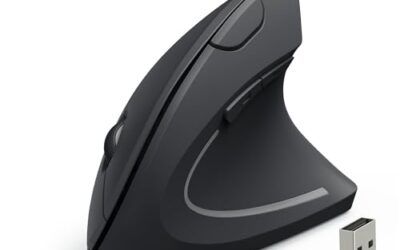
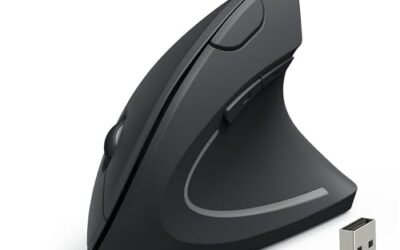
The Anker 2.4G Wireless Ergonomic Mouse is a right-hand vertical mouse designed around a handshake grip. The shell tilts the hand upward so the wrist sits in a more natural position compared with a traditional flat mouse. It connects through a small USB receiver, which keeps setup simple and avoids cable drag across the desk. For people who spend many hours at a computer, that combination of posture and freedom of movement is the main appeal.
Specs
| Feature | Detail |
|---|---|
| Type | Vertical ergonomic mouse, right hand |
| Connection | 2.4G wireless with USB receiver |
| Grip style | Handshake vertical grip |
| Buttons | Standard click, scroll wheel, side buttons |
| Sensitivity | Adjustable DPI settings |
| Power | Battery powered |
Who It Suits
This mouse suits office workers, students, and home users who want a more relaxed hand position during long sessions. The wireless connection makes it easy to move between a desk and a laptop setup. Left-handed users and anyone who prefers a low-profile gaming mouse will want to look elsewhere, since the design is specifically for the right hand. The vertical grip takes a short adjustment period, and the adjustable sensitivity helps when switching between detailed work and general browsing.
Gamerneon Blue Poker Neon Sign

The Gamerneon Blue Poker Neon Sign brings casino playing card imagery to a wall in glowing blue light. It is made for game rooms, man caves, bars, and streaming backgrounds where a bold accent piece sets the tone. The poker theme reads clearly from across the room, and the blue glow pairs well with dark walls and gaming setups that already use cool-toned lighting.
Specs
| Feature | Detail |
|---|---|
| Theme | Poker playing cards, casino style |
| Light color | Blue |
| Use | Wall decor for game rooms and man caves |
| Mounting | Hanging wall sign |
| Power | Plug-in power cord |
| Style | LED neon style sign |
Who It Suits
This sign suits poker fans, card players, and anyone building a game room or entertainment space with a casino feel. It also works as a backdrop for streams and videos, since the blue light shows up well on camera. If your space leans toward soft, minimal decor, a themed sign may feel too bold. Hang it where it can be seen from the main seating area, away from direct glare on screens, and pair it with a lamp for tasks that need clear visibility.
Cyber Acoustics CA-2014 2.0 Computer Speakers

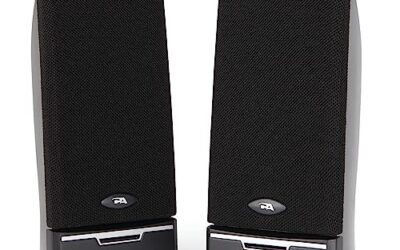
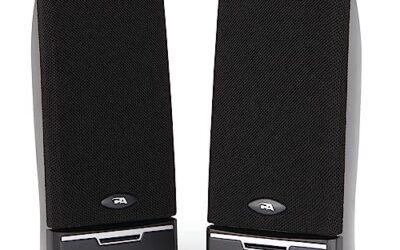
The Cyber Acoustics CA-2014 2.0 Computer Speakers are a compact stereo pair built for everyday desk audio. The set delivers four watts of total output, which is well matched to close-range listening at a desk. The small footprint makes the speakers easy to place on either side of a monitor without crowding the work surface, and the wired connection keeps setup straightforward.
Specs
| Feature | Detail |
|---|---|
| Configuration | 2.0 stereo speakers |
| Output | 4W total |
| Connection | Wired |
| Controls | Power and volume control |
| Use | Desktop computer audio |
| Footprint | Compact satellite speakers |
Who It Suits
These speakers suit anyone who wants clear, simple sound for calls, videos, and background music without adding a subwoofer. They are practical for small desks and shared spaces where modest volume is an advantage. Listeners who want deep bass will prefer a 2.1 system instead. There is no pairing process and no battery to charge, and placement on either side of the monitor gives a natural stereo image.
GOgroove BassPULSE 2.1 Computer Speakers
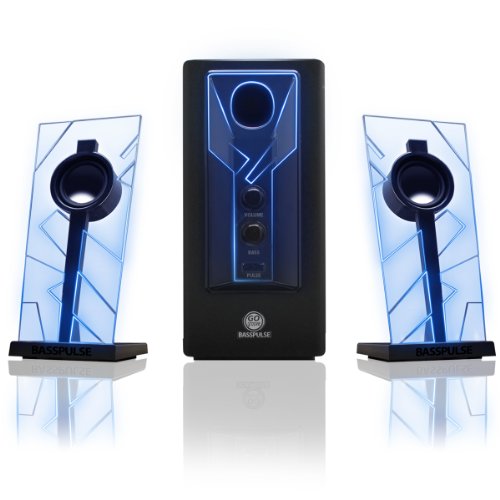
The GOgroove BassPULSE 2.1 Computer Speakers pair two satellite speakers with a powered subwoofer for fuller, bass-forward sound. Blue LED glow lighting adds a visual accent that fits gaming and entertainment setups, especially alongside neon signs and other ambient lighting. The wired connection keeps audio stable during games, movies, and music sessions.
Specs
| Feature | Detail |
|---|---|
| Configuration | 2.1 speakers with powered subwoofer |
| Lighting | Blue LED glow lights |
| Connection | Wired |
| Controls | Volume and bass adjustment |
| Use | Gaming, movies, and music at a desk |
| Placement | Satellites on desk, subwoofer on floor or desk |
Who It Suits
This system suits gamers and movie watchers who want more low-end impact than a basic 2.0 set can provide. The subwoofer adds depth to soundtracks and bass-heavy music, while the blue lighting ties in with neon decor. People with limited desk space may find it more than they need. Placing the subwoofer on the floor near the desk usually gives the fullest bass, and the bass adjustment keeps dialogue clear.
BONTEC Wood Monitor Stand Riser

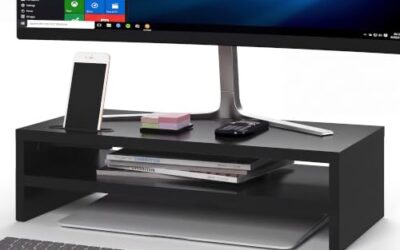
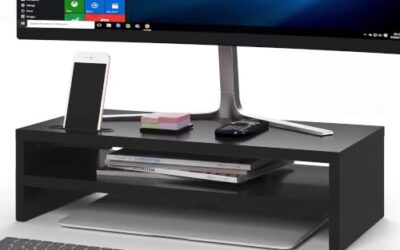
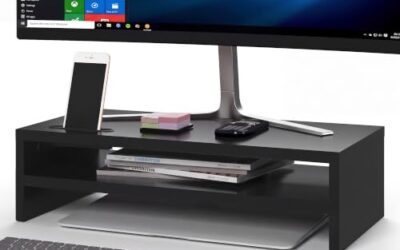
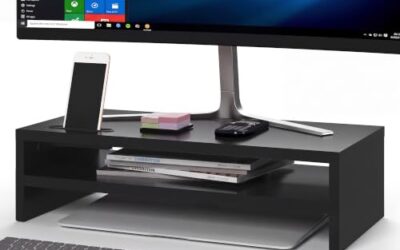
The BONTEC Wood Monitor Stand Riser is a two-tier desktop organizer that lifts a monitor to a more comfortable viewing height while adding storage underneath. The wooden construction gives it a warm, furniture-like look that pairs well with both office and home desks. The tiered design creates space for a keyboard, notebooks, or small accessories, helping keep the main work surface clear.
Specs
| Feature | Detail |
|---|---|
| Material | Wood |
| Design | 2-tier monitor stand and organizer |
| Use | Raises monitor, organizes desk items |
| Storage | Open shelf space under the stand |
| Placement | Desktop, under monitor |
| Style | Ergonomic desk riser |
Who It Suits
This stand suits anyone whose monitor sits too low or whose desk feels cluttered. Raising the screen can make long sessions more comfortable, and the storage tiers give everyday items a home. Users with large or heavy monitors should confirm size and weight capacity first. The top holds the monitor, while the space below stores a keyboard, notebook, or charging devices, leaving room for a mouse and speakers.
Frequently Asked Questions
Is a vertical mouse better than a regular mouse for long workdays?
A vertical mouse places the hand in a handshake position, which many people find more comfortable during long sessions than a flat grip. It is not automatically better for everyone, and hand size and personal preference matter. If your wrist or forearm feels tense with a standard mouse, a vertical design like the Anker model is worth trying, with a short adjustment period as you get used to the new angle.
Where should a neon sign be placed in a desk setup?
Place a neon sign on the wall behind or beside the desk where it is visible but not reflecting directly on the screen. In a game room, the wall facing the seating area works well. Keep the power cord routed neatly, and make sure the sign is hung securely. The Gamerneon poker sign works best as an accent light, so keep a separate lamp for reading and detailed tasks.
Should I choose 2.0 or 2.1 computer speakers?
Choose a 2.0 set like the Cyber Acoustics CA-2014 if you mainly need clear sound for calls, videos, and background music in a small space. Choose a 2.1 set like the GOgroove BassPULSE if you play games, watch movies, or listen to bass-heavy music and want deeper low end from a subwoofer. Desk space is the other deciding factor, since a subwoofer needs a place to sit.
How does a monitor stand improve a desk setup?
A monitor stand raises the screen toward eye level, which can reduce the need to tilt the head down during long sessions. A two-tier stand like the BONTEC riser also adds storage, so keyboards, notebooks, and small items stay organized under the monitor. That extra order makes room for a mouse, speakers, and other essentials without crowding the desk.
Final Verdict
Each product in this guide fills a different role, and the strongest setups combine several of them. The Anker vertical mouse is the comfort upgrade for anyone who spends long hours at a computer. The Gamerneon poker sign is the personality piece for game rooms and entertainment spaces. For sound, the Cyber Acoustics 2.0 speakers keep things simple and compact, while the GOgroove BassPULSE 2.1 system delivers deeper bass and ambient blue lighting for gaming and movies. The BONTEC wooden stand ties the desk together by raising the monitor and organizing the surface below it.
If you are starting from a basic desk, begin with the item that solves your biggest daily annoyance, whether that is wrist comfort, screen height, weak audio, or a bare wall. Add the remaining pieces over time, and the setup will grow into a space that is comfortable to work in and enjoyable to relax in after hours.
Product and ASIN Reference
| Product Name | ASIN |
|---|---|
| Anker 2.4G Wireless Ergonomic Mouse, Right Hand Vertical Mouse USB Receiver | B00BIFNTMC |
| Gamerneon Blue Poker Neon Sign Casino Playing Cards Neon Signs for Man Cave | B09TKHRPYS |
| Cyber Acoustics CA-2014 2.0 Computer Speakers, 4W, Stereo Sound | B00008MN45 |
| GOgroove BassPULSE 2.1 Computer Speakers with Blue LED Glow Lights and Powered Subwoofer | B004ALYGI2 |
| BONTEC Wood Monitor Stand Riser, 2-Tier Desktop Organizer | B01M5K9ZTL |