We independently review everything we recommend. When you buy through our links, we may earn a commission. As an Amazon Associate we earn from qualifying purchases.
5 Best High-End Student Laptops for School (November 2026)
Compare five high-end student laptops with strong memory, storage, and display specs, from ultraportable flagships to convertible picks for school.
Compare five high-end student laptops with strong memory, storage, and display specs, from ultraportable flagships to convertible picks for school.
A high-end student laptop is a machine whose stated specifications sit clearly above everyday classroom machines: generous memory, fast solid-state storage, a sharp display, and a current processor platform. The five picks below were chosen from published listing wording stating laptop form and brand name literally, with memory and storage figures that support demanding coursework and large projects. No listing quoted here states the word student on its own, so student fit is assessed from the stated specifications, and high-end standing from the stated specifications and flagship placement, never from a price.
Every pick carries the warning marker, meaning its identifier was corroborated indirectly through published roundup listings rather than a direct product-page check, so re-check each one before buying. One pick also appears in a roundup on another site, and one was recorded as a spare in an earlier roundup register; both cases are flagged openly below. Four picks rest on a single article each, and one rests on two agreeing articles.
Quick Picks
As an Amazon Associate we earn from qualifying purchases.
Product
Best for
Key spec from title
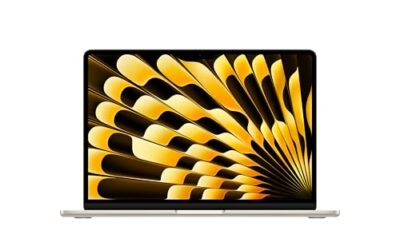
Apple MacBook Air 13-inch Laptop with M5 chip
Everyday carry with long battery expectations
16GB Unified Memory, 512GB SSD
Dell XPS 13 Touchscreen Laptop 2026
Sharp display work in a thin frame
13.4-inch 3K 500 Nits touchscreen
ASUS Zenbook 14 OLED Laptop
Heavy multitasking and large files
32GB LPDDR5X, 1TB SSD
Acer Swift Go 16 AI Copilot+PC Laptop
Big-screen work with fast refresh
32GB RAM, 1TB SSD, 120Hz touchscreen
Lenovo Yoga 7i 2-in-1 Laptop
Note-taking and flexible study setups
14-inch 2K OLED Touch Display
How to Choose
Start From Memory and Storage Figures
Memory and storage decide how a laptop handles real schoolwork more directly than any other stated figures. Sixteen gigabytes of memory is the floor for the machines in this guide, and two picks state 32GB, which leaves room for research tabs, documents, design tools, and video calls running at the same time. Storage matters just as much: 512GB is the smallest figure here, and 1TB appears on three picks, which matters when coursework includes large media files, datasets, or installed software suites. Read both figures in the listing itself, and treat a listing that states neither as unproven for this class, whatever its headline claims.
Judge the Display and Keyboard Together
The display is where a student spends every working hour, so its stated size, resolution, and touch support deserve the same attention as the processor. This guide includes a 3K touchscreen, a WUXGA OLED panel, a 2K OLED touch display, and a 120Hz touch panel, and each one suits a different kind of work, from reading and writing to design review. The keyboard matters alongside it: backlit keyboards appear across these listings, and a comfortable, well-spaced keyboard reduces strain during long writing sessions. Check that touch support is stated literally when it matters to you, since a non-touch panel cannot gain it later.
Weigh Portability Against Screen Size
A laptop that stays on a desk can carry a larger screen, while one that travels between lectures, the library, and home needs to stay light and compact. The 13-inch and 14-inch picks here suit daily carrying, and the 16-inch pick suits students who work mostly in one place and value screen room. Battery life wording also belongs in this judgement: several listings state long battery life or large-capacity batteries, and those claims should be read as stated, not assumed. Match the screen size to where the machine will actually live, and remember that a bigger display usually means a heavier bag.
Confirm Ports, Software, and the Operating System
Ports and included software decide whether a laptop works on the first day of term without extra purchases. Thunderbolt, USB-C, and standard USB ports appear across these listings, and the convertible pick states Thunderbolt 4, which covers fast external drives and displays. Windows 11 Pro appears on two picks, and several listings state included office software or Copilot features, which can matter for coursework that assumes a particular platform. Read the operating system and included-software wording in the listing itself, and confirm that the machine matches what your courses require before committing.
The 5 Best Options
Apple MacBook Air 13-inch Laptop with M5 chip
Top Pick
Apple MacBook Air 13-inch Laptop with M5 chip
Best for: students who want a light, portable flagship for everyday coursework.
The MacBook Air 13-inch with the M5 chip is the most portable pick in this guide, pairing an Apple silicon platform with 16GB of unified memory and 512GB of solid-state storage in a 13.6-inch frame. Its Liquid Retina display, 12MP Center Stage camera, Touch ID, and Wi-Fi 7 round out a specification set aimed at students who carry their machine everywhere for writing, research, video calls, and media. Student fit is assessed from those stated specifications, not from student wording in the listing, and high-end standing rests on the flagship chip and memory figures. This pick also appears in another site’s roundup, flagged as cross-site overlap.
Watch out for: the 13.6-inch display is the smallest screen in this guide.
Dell XPS 13 Touchscreen Laptop 2026
Runner-Up
Dell XPS 13 Touchscreen Laptop 2026
Best for: students who prioritise display sharpness and touch input in a thin machine.
The Dell XPS 13 is the display-led pick of the five, with a 13.4-inch 3K touchscreen stated at 500 nits, which suits reading and design review in bright rooms. Its Intel Core 5 320 processor, 16GB of LPDDR5 memory, and 512GB solid-state drive match the other compact picks on memory and storage, while Windows 11 Pro and a backlit keyboard cover coursework software and late writing sessions. The listing states an ultra-thin frame with Wi-Fi 7 and Copilot PC features. This pick was recorded as a spare in an earlier roundup register, flagged here as a cross-site overlap spare, and it rests on a single article.
Watch out for: the compact frame leaves less room for ports than larger picks.
ASUS Zenbook 14 OLED Laptop
ASUS Zenbook 14 OLED Laptop
Best for: students running many applications and large files at the same time.
The ASUS Zenbook 14 OLED is the multitasking pick, stating 32GB of LPDDR5X memory and a 1TB solid-state drive alongside an AMD Ryzen AI 7 445 processor that reaches up to 4.6GHz. Its 14-inch WUXGA OLED display suits long reading and media sessions, and the listing states Copilot+ PC features, Wi-Fi 6E, a 180-degree lay-flat hinge, a backlit keyboard, and Windows 11 Pro. Those figures place it at the top of this guide for memory and storage, which matters when coursework means many applications open at once. Student fit is assessed from the stated specifications, and the pick rests on a single article.
Watch out for: the OLED panel and high memory figures suit heavy use more than light note-taking.
Acer Swift Go 16 AI Copilot+PC Laptop
Acer Swift Go 16 AI Copilot+PC Laptop
Best for: students who want the largest screen and the fastest refresh in this guide.
AMD Ryzen AI 9 465 ten-core processor, up to 50 TOPS
The Acer Swift Go 16 AI is the big-screen pick, stating a 16-inch WUXGA 120Hz touchscreen, an AMD Ryzen AI 9 465 ten-core processor, 32GB of RAM, and a 1TB solid-state drive. The fast-refresh touch display suits scrolling, annotation, and media work, while Wi-Fi 7 and a backlit keyboard cover connectivity and long writing sessions. Its specification set is the strongest in this guide for combined memory, storage, and display size, which suits students who work mostly in one place and want room for split-screen research. Student fit is assessed from the stated specifications, and the pick rests on a single article.
Watch out for: the 16-inch frame is the least portable pick here.
Lenovo Yoga 7i 2-in-1 Laptop
Lenovo Yoga 7i 2-in-1 Laptop
Best for: students who want one machine for typing, handwriting, and presenting.
The Lenovo Yoga 7i is the flexible pick, stating a 2-in-1 form with a 14-inch 2K OLED touch display, a Core Ultra 5 322 processor, 16GB of LPDDR5x memory, and a 1TB solid-state drive. The convertible hinge suits handwriting, reading, and presentation work, while Thunderbolt 4, a fingerprint reader, a backlit keyboard, Wi-Fi 7, and Windows 11 cover connectivity and sign-in. Its combination of a sharp touch display and full-size storage makes it the most adaptable machine here for students whose work shifts between typing, reading, and presenting. Student fit is assessed from the stated specifications, and the pick rests on a single article.
Watch out for: the convertible hinge adds complexity compared with a fixed clamshell.
Which One Fits Your Situation
You Carry Your Laptop Every Day
Choose the MacBook Air 13-inch or the Dell XPS 13, both of which state compact frames with 16GB of memory and 512GB of storage. Their smaller displays keep the overall package light, and their stated Wi-Fi 7 support suits campus networks. Either one covers writing, research, and video calls without the weight of a larger machine.
You Work Mostly at One Desk
Choose the Acer Swift Go 16 AI, whose 16-inch 120Hz touchscreen gives the most room for split-screen research, media timelines, and large documents. Its 32GB of RAM and 1TB drive suit long sessions with many applications open, and the bigger frame matters less when the machine rarely travels. The fast-refresh display also keeps scrolling smooth during long review sessions.
You Juggle Many Applications at Once
Choose the ASUS Zenbook 14 OLED, which pairs 32GB of memory with a 1TB drive and an OLED display. That combination suits research with dozens of tabs, documents, and design tools open together, and the 14-inch frame still travels well between lectures and the library. The lay-flat hinge also helps when sharing the screen with a study partner.
You Need One Machine for Typing and Handwriting
Choose the Lenovo Yoga 7i 2-in-1, whose convertible form and 2K OLED touch display cover typed notes, handwritten annotation, and presentations in a single device. Its 1TB of storage and Thunderbolt 4 port suit students who move between note-taking, reading, and presenting every day. The fingerprint reader adds quick, secure sign-in between classes.
Common Mistakes
Choosing by headline claims instead of the memory and storage figures stated in the listing.
Assuming touch support is present when the listing never states it literally.
Picking the largest screen without considering how often the machine must be carried.
Ignoring the operating system and included software that coursework may require.
Treating a gaming or everyday listing as high-end without checking its stated specifications.
Frequently Asked Questions
Do I need 32GB of memory for schoolwork?
Not always. Sixteen gigabytes covers writing, research, video calls, and typical coursework comfortably, and three picks here state exactly that figure. Thirty-two gigabytes suits students who run design tools, datasets, virtual machines, or many heavy applications at once, and the two 32GB picks state that figure literally.
Is a touchscreen worth it for a student laptop?
It depends on how you work. Touch input suits handwriting, annotation, and reading, and three picks here state touch displays literally. If your work is mostly typing and reading, a non-touch panel is fine, but touch cannot be added later, so decide from the listing wording before buying.
Should I prioritise storage or memory?
Both matter, and this guide treats 16GB of memory and 512GB of storage as the floor. If your coursework involves large media files, datasets, or installed software suites, favour the 1TB picks. If it involves many applications running together, favour the 32GB picks. The strongest machines here state both figures at the top level.
Does a high-end laptop last longer for school?
A machine with generous stated memory, storage, and a current processor platform is better placed to handle heavier coursework in later years than a machine built to a minimum specification. Longevity still depends on care, battery health, and software support, so read the listing’s stated figures and platform wording rather than assuming lifespan from the label.
W
Wildshot Editorial Team
We compare specs, materials and verified owner reviews before a product earns a spot. Rankings are never paid.
Affiliate disclosure. As an Amazon Associate we earn from qualifying purchases at no extra cost to you. Prices accurate as of the date shown.
The best mirrorless Micro Four Thirds cameras offer compact bodies, fast autofocus and a huge shared lens range. Compare four current OM SYSTEM and Lumix picks.
The best laptops for physics combine strong multi-core CPUs, ample RAM and sharp displays for simulation, coding and data analysis. Compare four top picks.
The best online sheet sets come down to fibre and weave. Four verified sets in bamboo, sateen and organic cotton compared, plus checks before you order.
Hotels with big bathtubs hide in suites, ryokan and spa resorts. How to tell a true soaking tub from a standard one, and how to verify before you book.
The best floor rugs for dogs are low-pile, non-slip and machine washable. Three verified picks compared by size, pile and backing for real dog households.
Looking for the best wireless cell phone chargers? Compare Qi2 15W magnetic pads, 3-in-1 stands and travel chargers for iPhone and Android before you buy.
Best Samsubg Galaxy S5 Battery Extenders compared: extended batteries and battery cases for the Galaxy S5, checked for capacity, bulk, fit and water resistance.
Find the best selling sound cards for gaming PC use, from budget PCIe 5.1 cards to high-resolution USB and premium internal models, with specs and fit guidance.


 Acer Swift Go 16 AI Copilot+PC Laptop
 Lenovo Yoga 7i 2-in-1 Laptop